
Book a slot anywhere, check in in seconds
To use the branch kiosk, a customer needs a confirmed slot first — and that slot can be booked from the mobile app or the website, not just one channel. This page walks through the full loop end to end, and includes the live interactive kiosk build itself.
The same booking, on either channel
Whichever channel is more convenient — the mobile app while on the move, or the website from a desk — the branch, service, and slot picker behave identically, and both write to the same booking system the kiosk checks against.
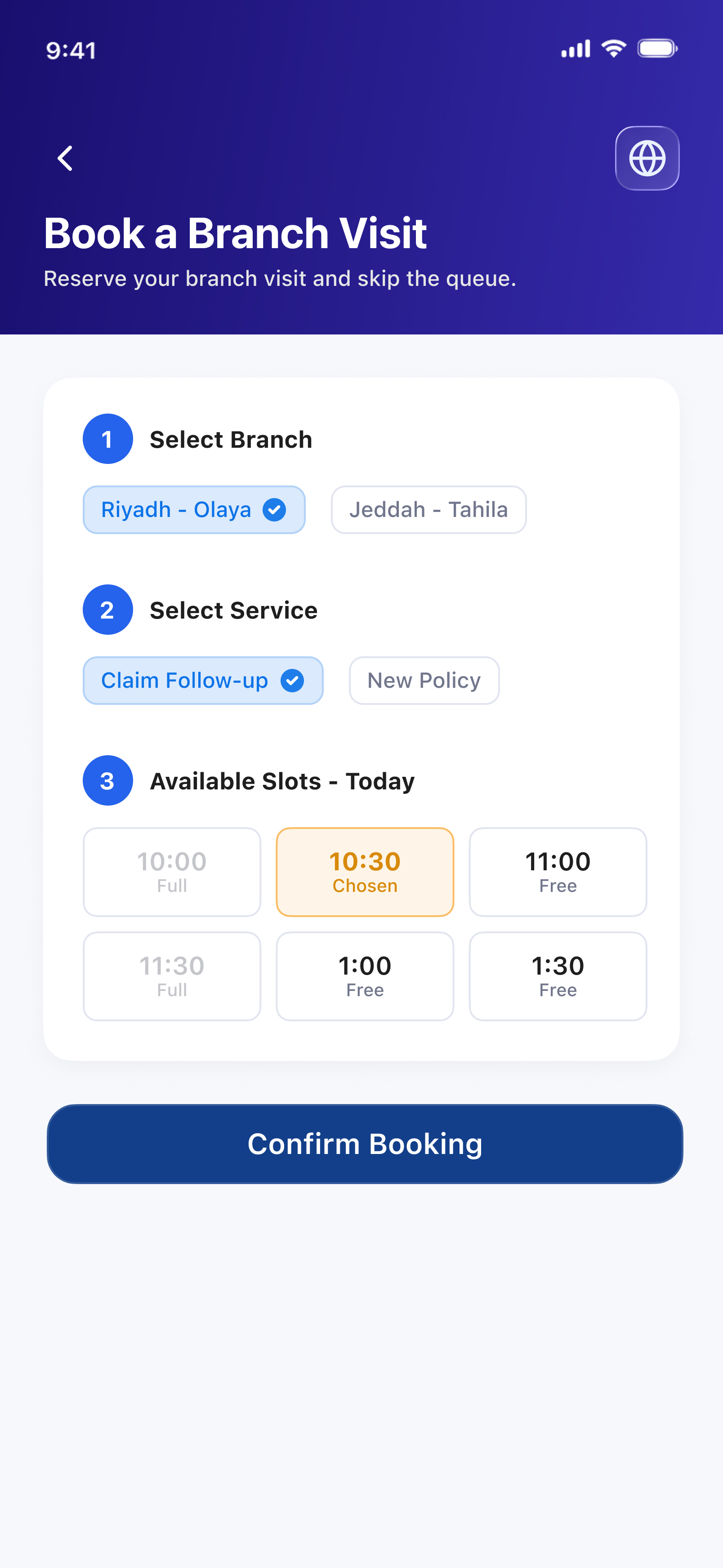
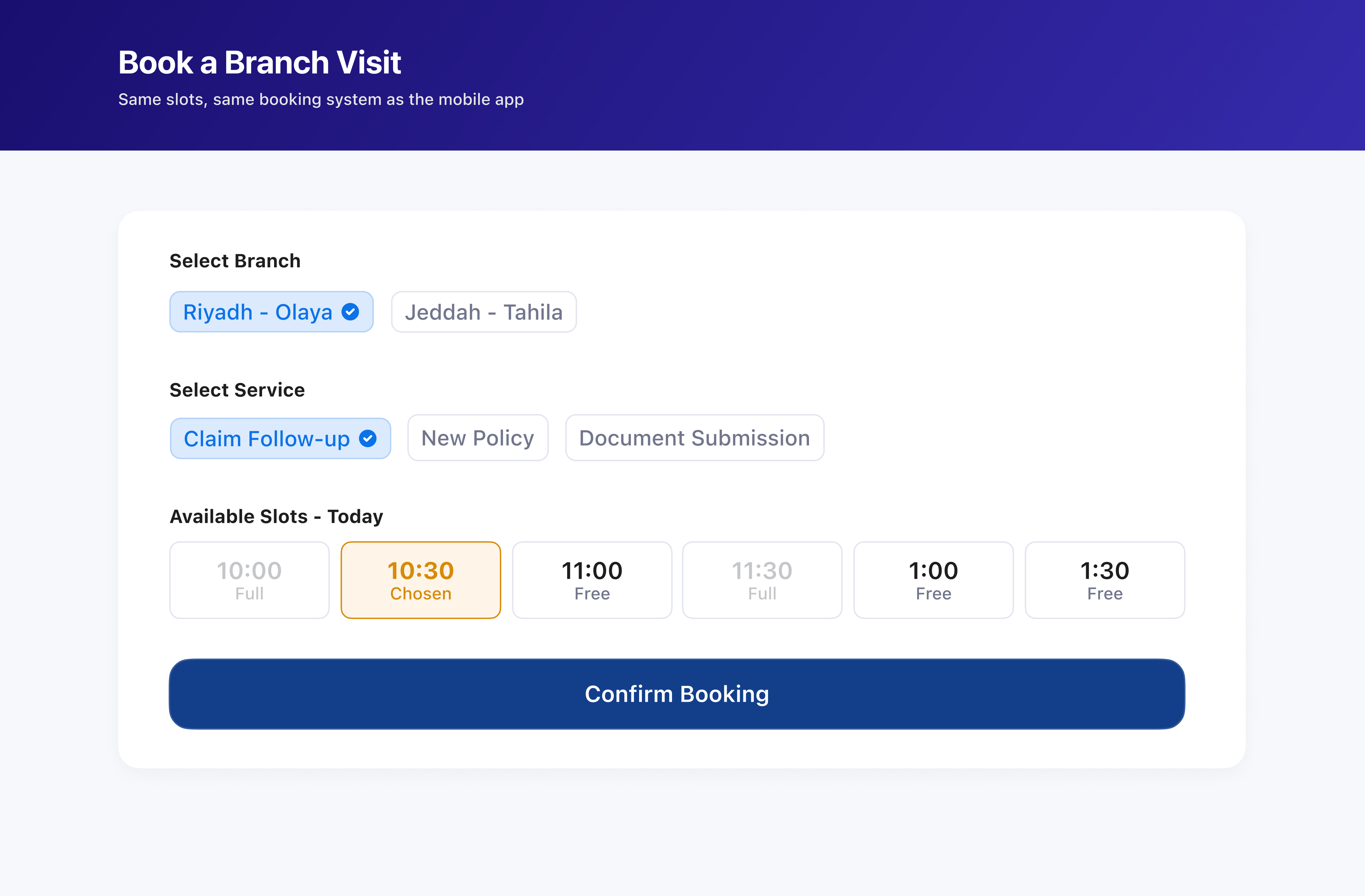
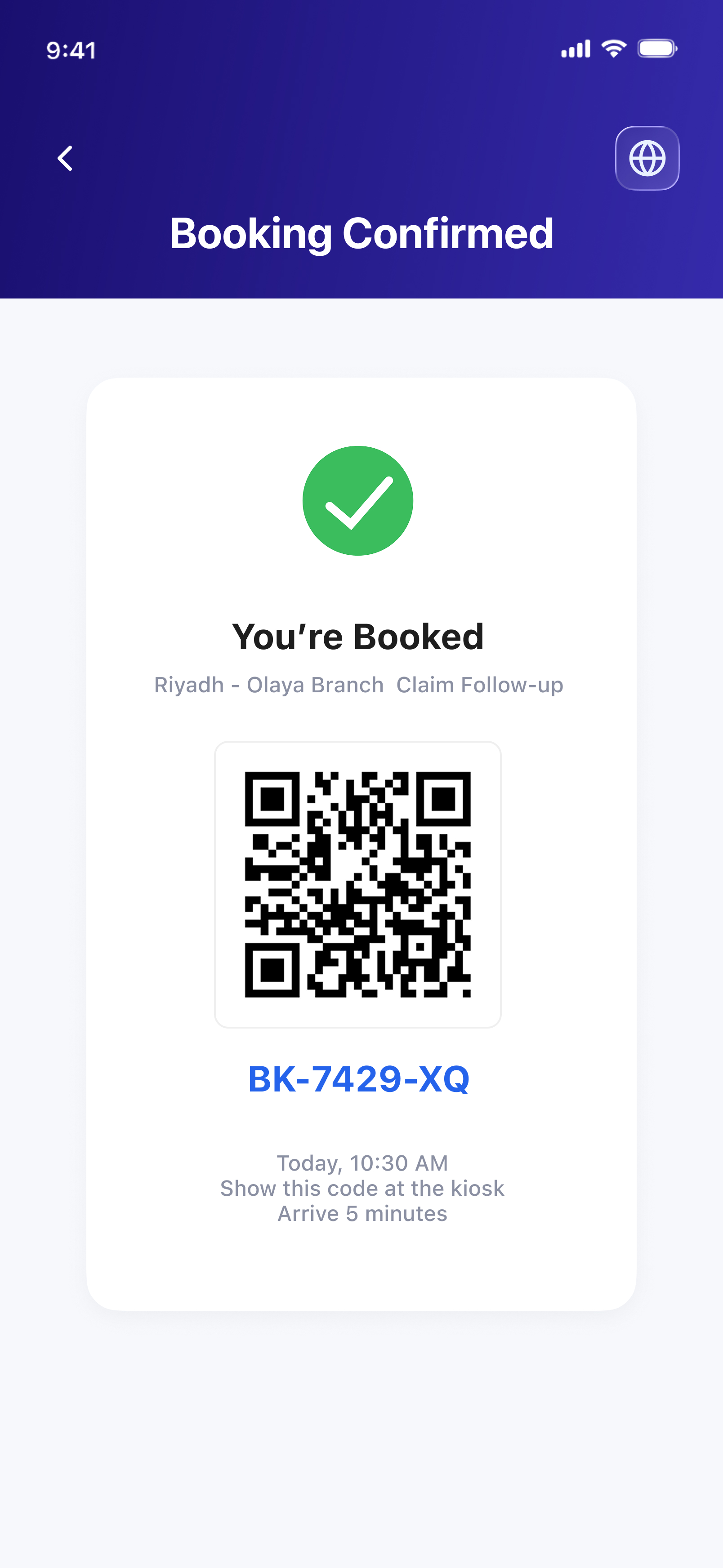
One QR code, regardless of where you booked
Book on the website from a desktop? The QR and booking code still land in the mobile app (and by SMS) — so the kiosk key is always in your pocket at the branch, even if the booking itself happened somewhere else.
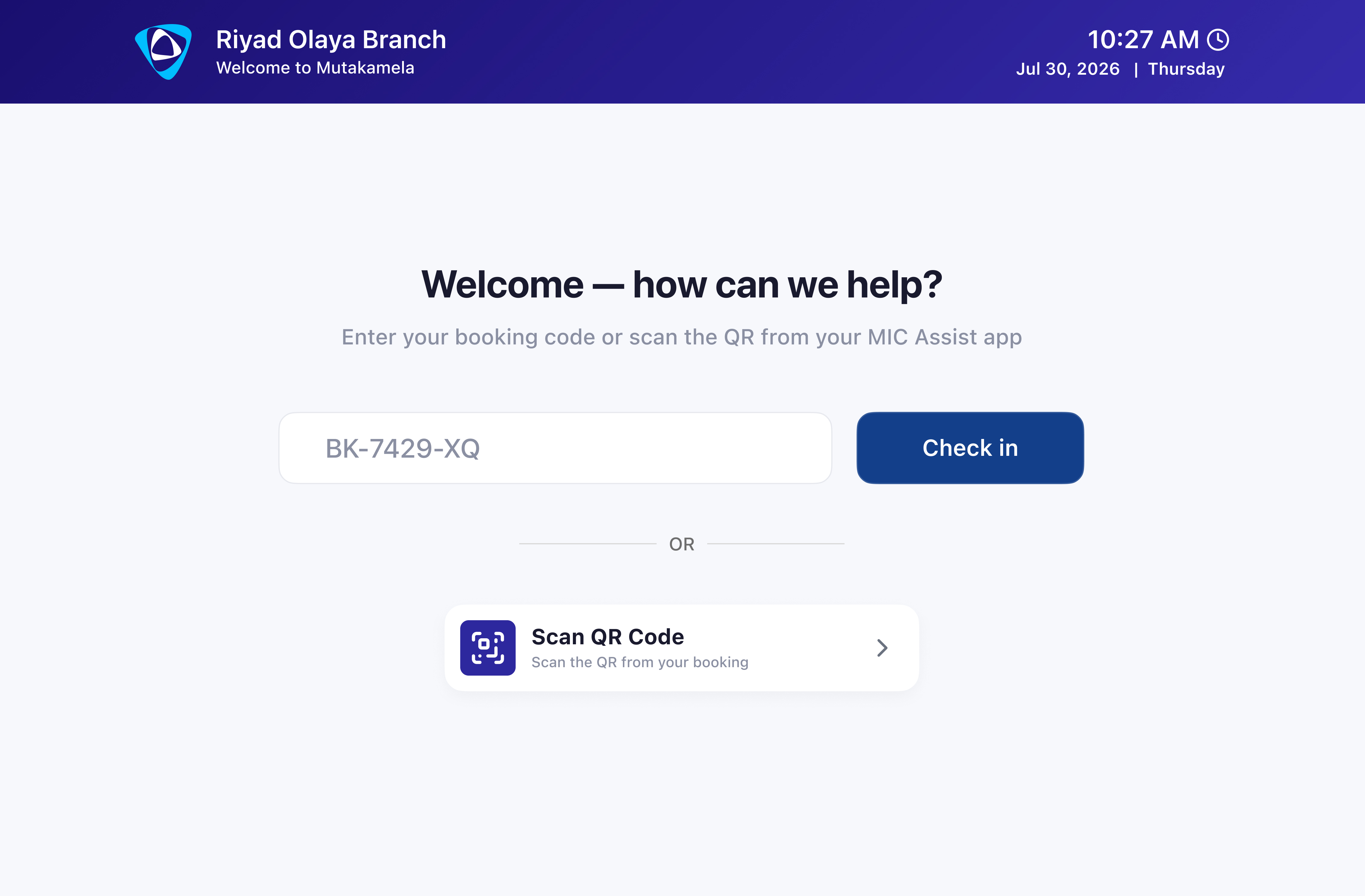
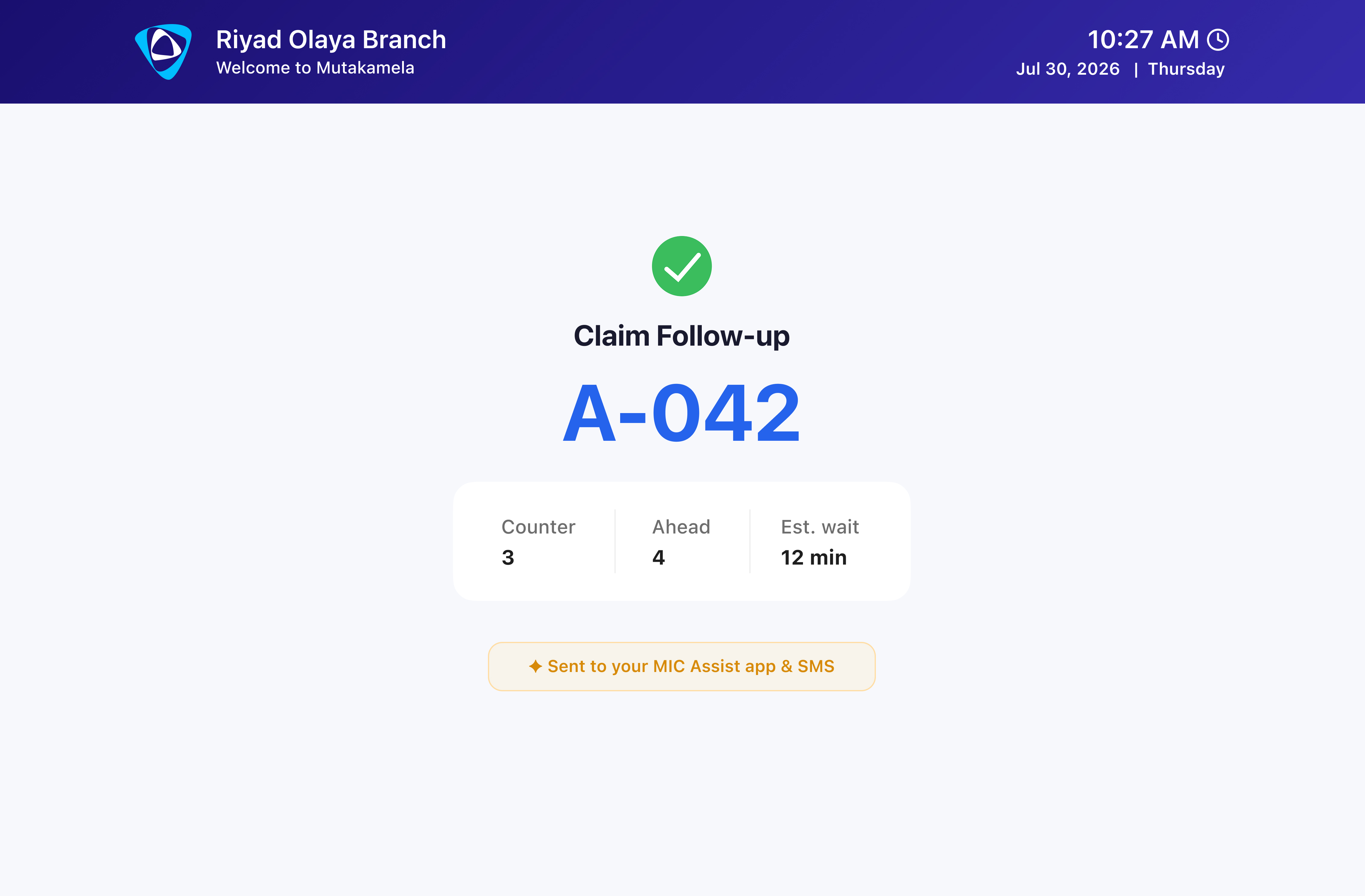
Tap in with the code — an honest wait time, instantly
Enter the code or scan the QR, nothing else needed. Because the ticket is tied to a real booking, the wait estimate is genuine — the system already knows how many booked slots are ahead.
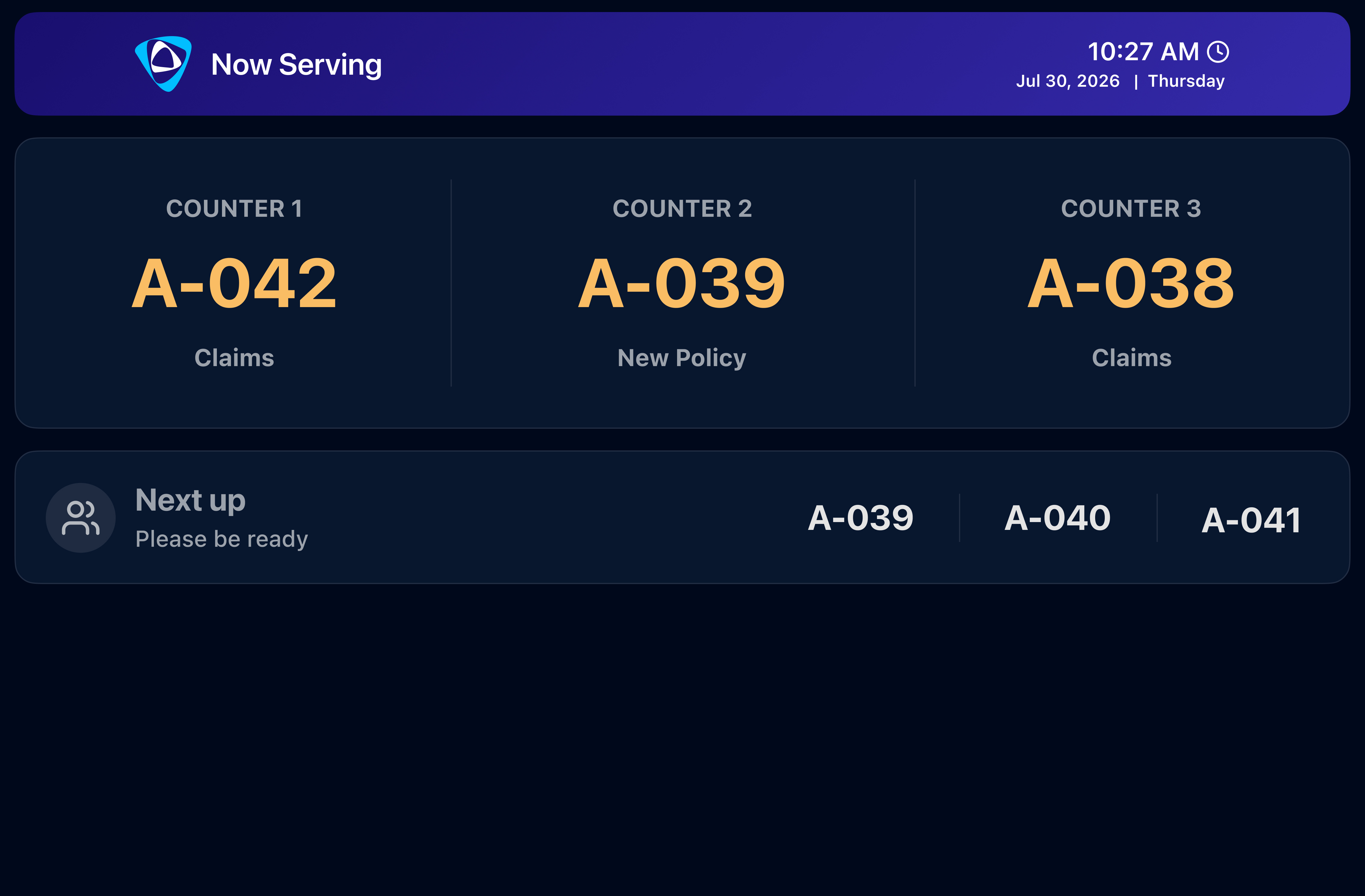
The same numbers, visible on the wall
A wall-mounted display shows which number is being served at each counter in real time — the same source of truth as the app and SMS.
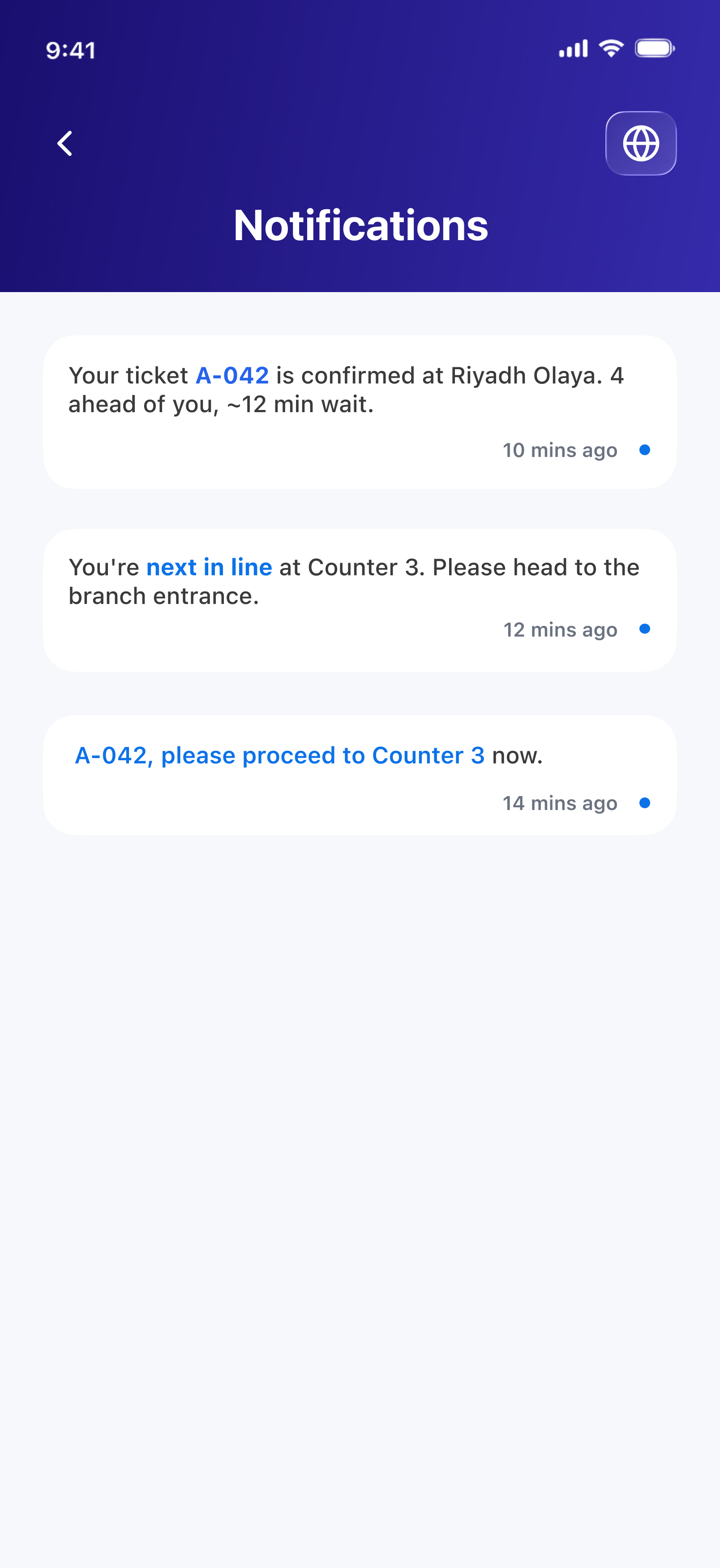
You don't have to watch the screen at all
The same three moments — ticket issued, "you're next," and "you're being called" — fire on push and SMS, regardless of which channel the booking started on.
Scope note
MIC Assist • Branch Kiosk
An add-on to the core MIC Assist platform — scoped separately from the original RFP.
Mutakamela Insurance Company — regulated by the Insurance Authority.