Central content operations platform for Mutakamela Insurance. Manage the public homepage, design landing pages, build forms, run multi-channel campaigns, monitor CSAT, and track site analytics from one admin console.
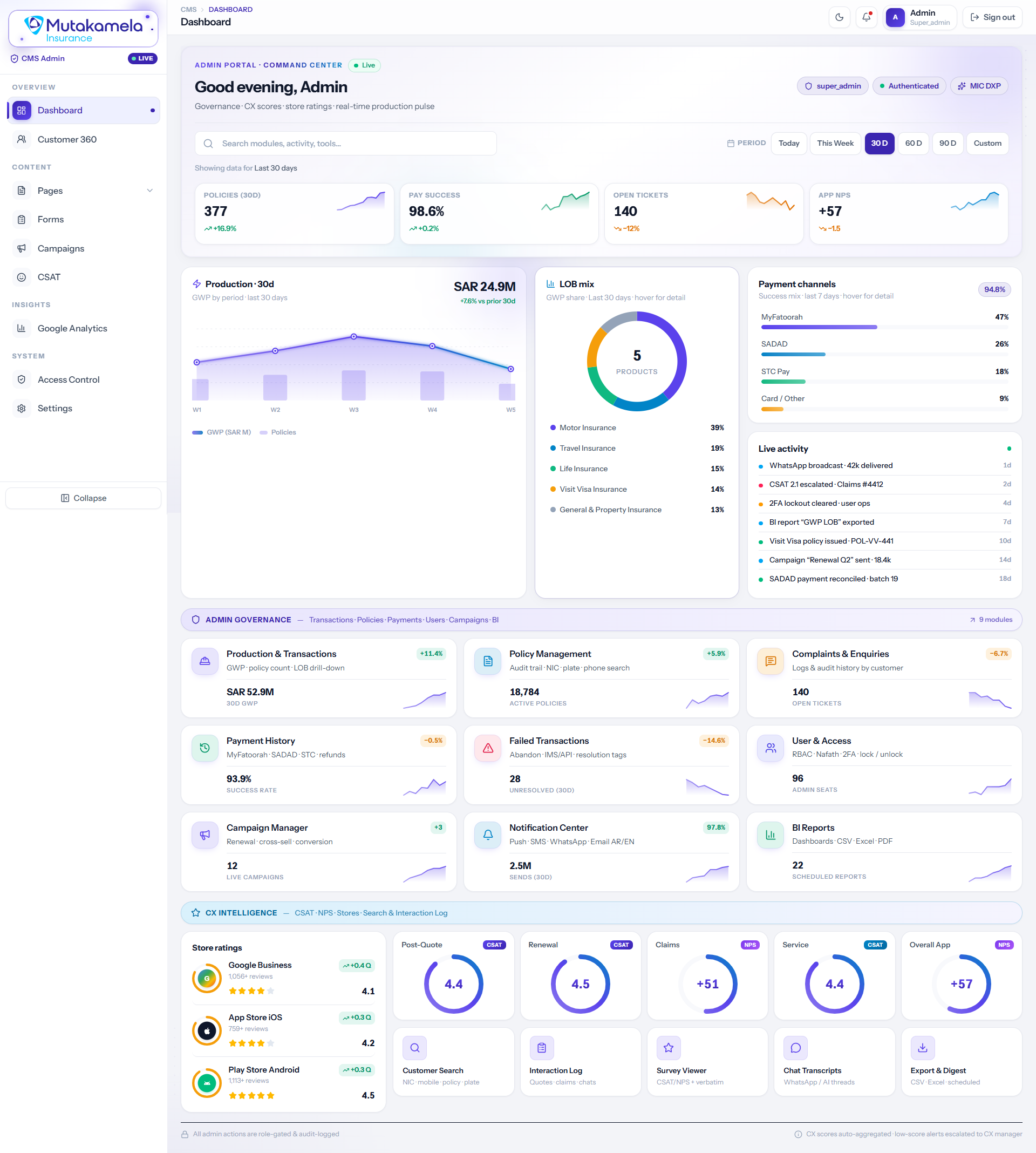
A single pulse check on the whole business — policies written, GWP, payment success rate, open tickets, and app NPS, backed by a nine-module governance grid covering transactions, policy management, complaints, payments, user access, campaigns, and BI reports. A dedicated CX Intelligence row surfaces store ratings and CSAT/NPS by touchpoint, so leadership never has to switch tools to see how the business is actually performing.
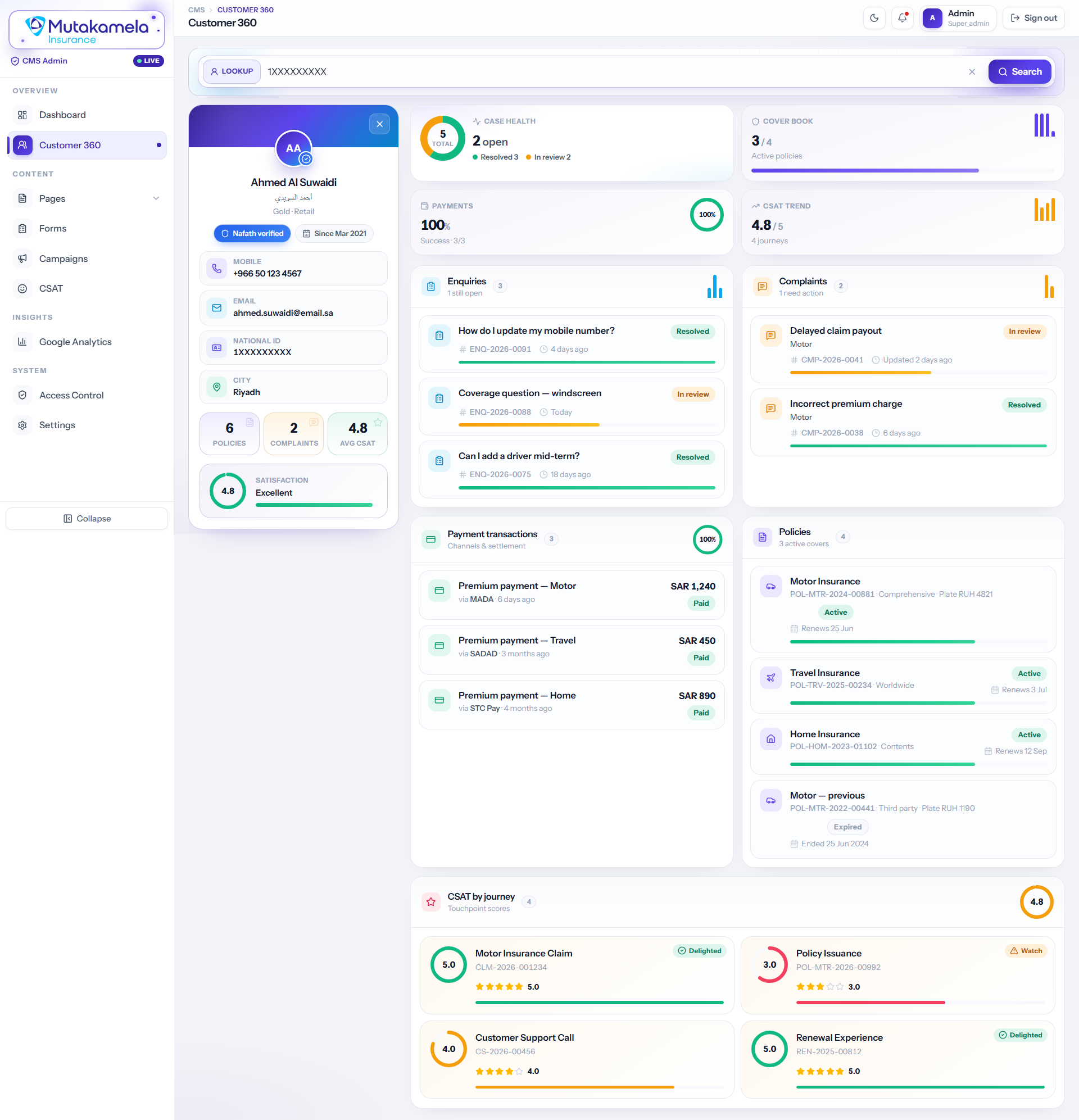
Search by national ID, mobile, or plate and the full relationship opens in one screen — Nafath-verified identity, active policies, payment history, open enquiries and complaints, case health, and a CSAT trend broken down by journey. Built so a care agent has complete context before they even say hello.
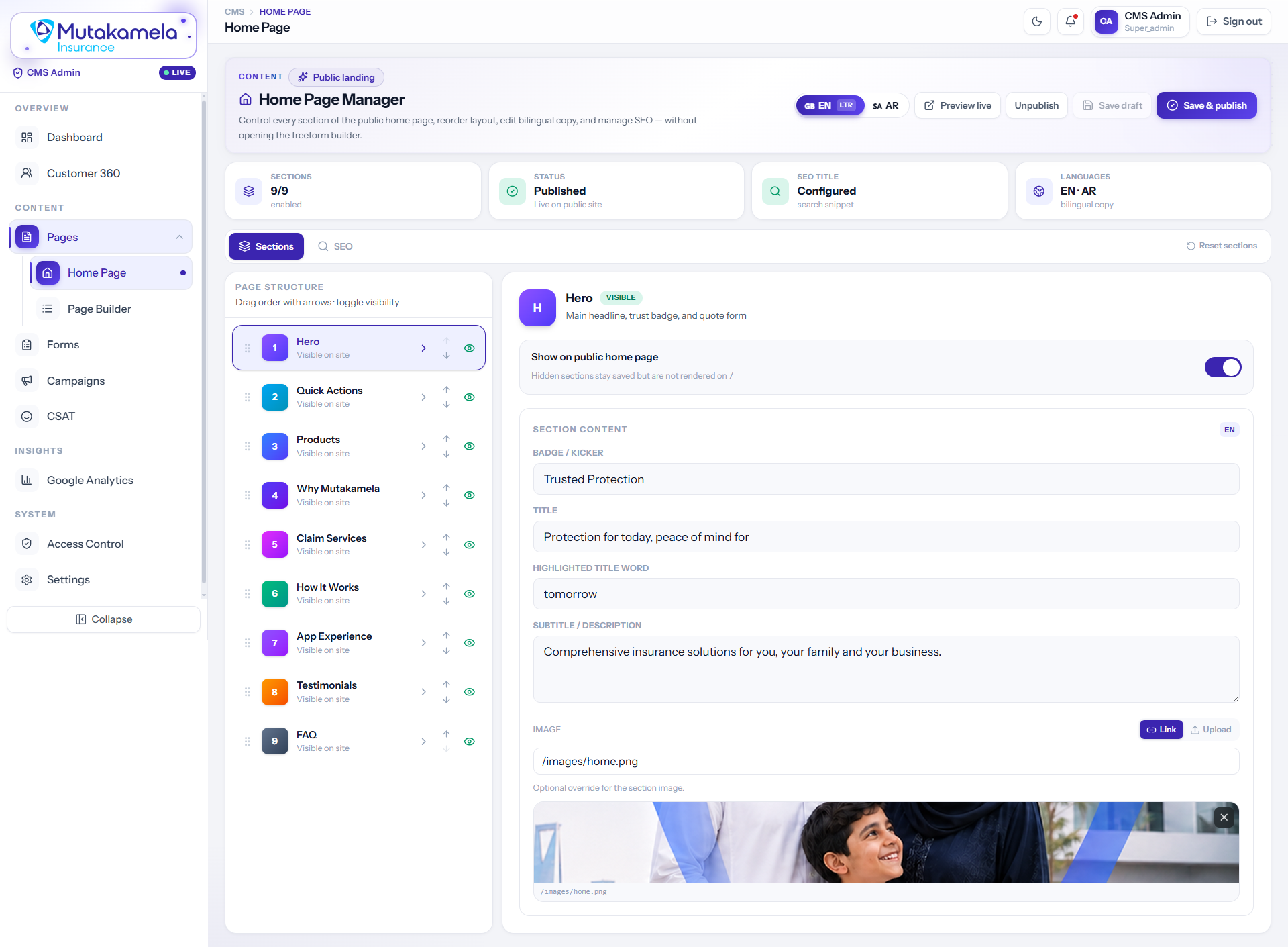
A purpose-built editor for the one page that matters most. Reorder or hide any of the nine homepage sections, edit bilingual EN/AR copy field by field, swap the hero image, and preview live — all without opening the freeform page builder or touching a line of code.
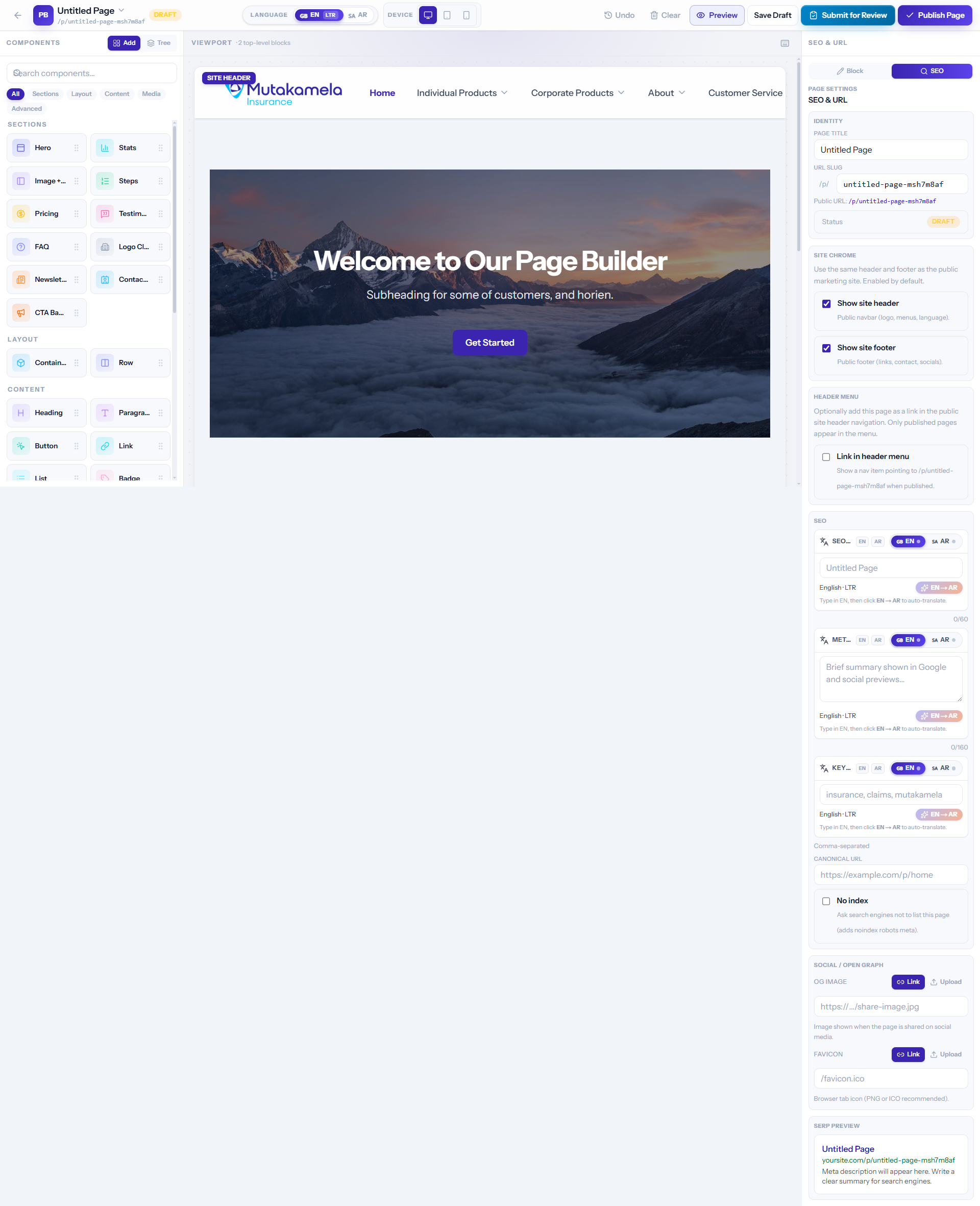
A drag-and-drop canvas for everything beyond the homepage — sections, layout blocks, content, and media components snap together on a live desktop-to-mobile preview. Every page carries its own SEO title, URL slug, and header/footer chrome settings, and ships through Save Draft → Submit for Review → Publish.
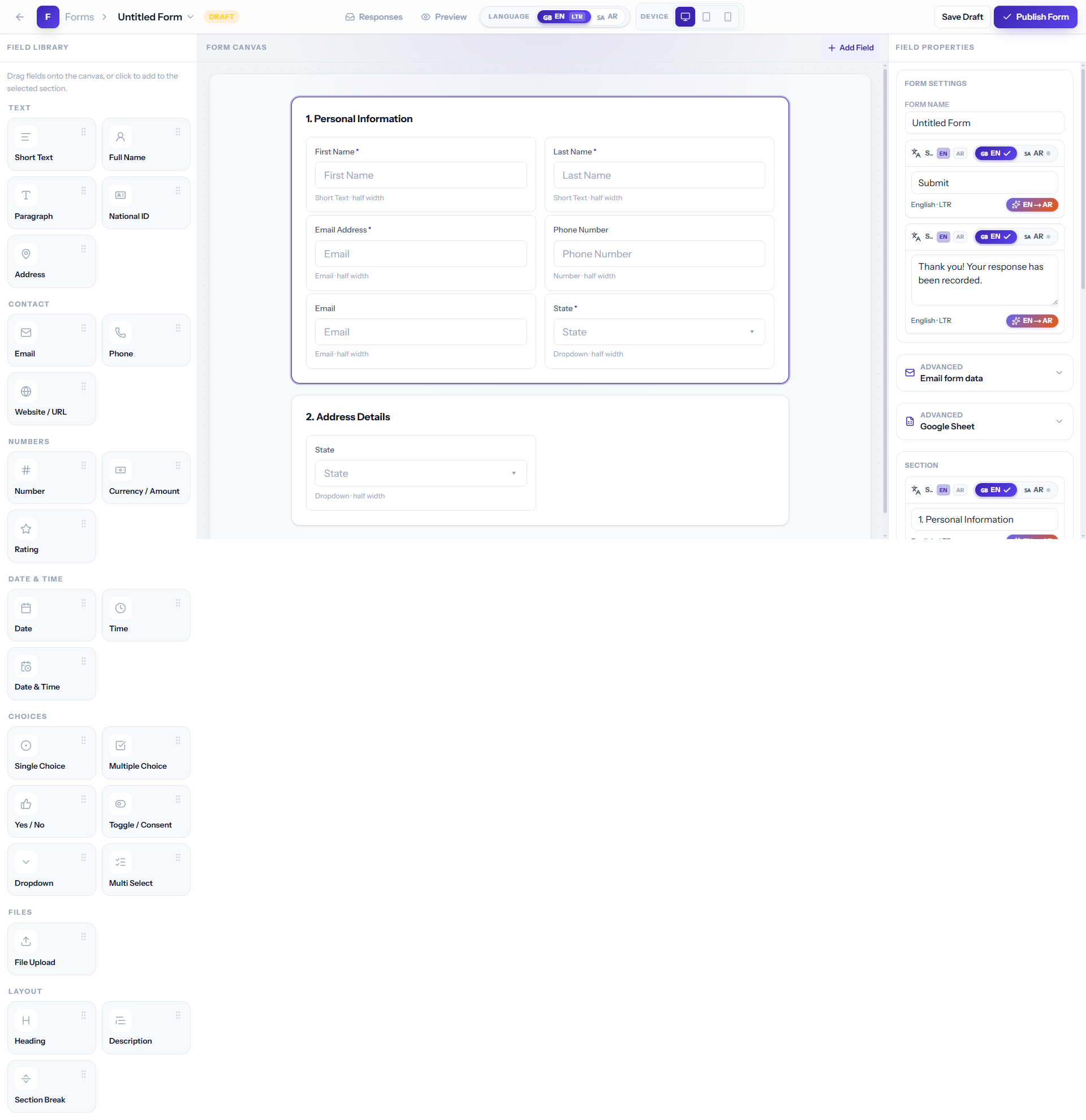
Sectioned forms assembled from a typed field library — names, national ID, address, contact, numbers, dates — each with bilingual labels and half/full-width layout. Route submissions to email or a live Google Sheet, set a custom thank-you message, and publish straight from the canvas.
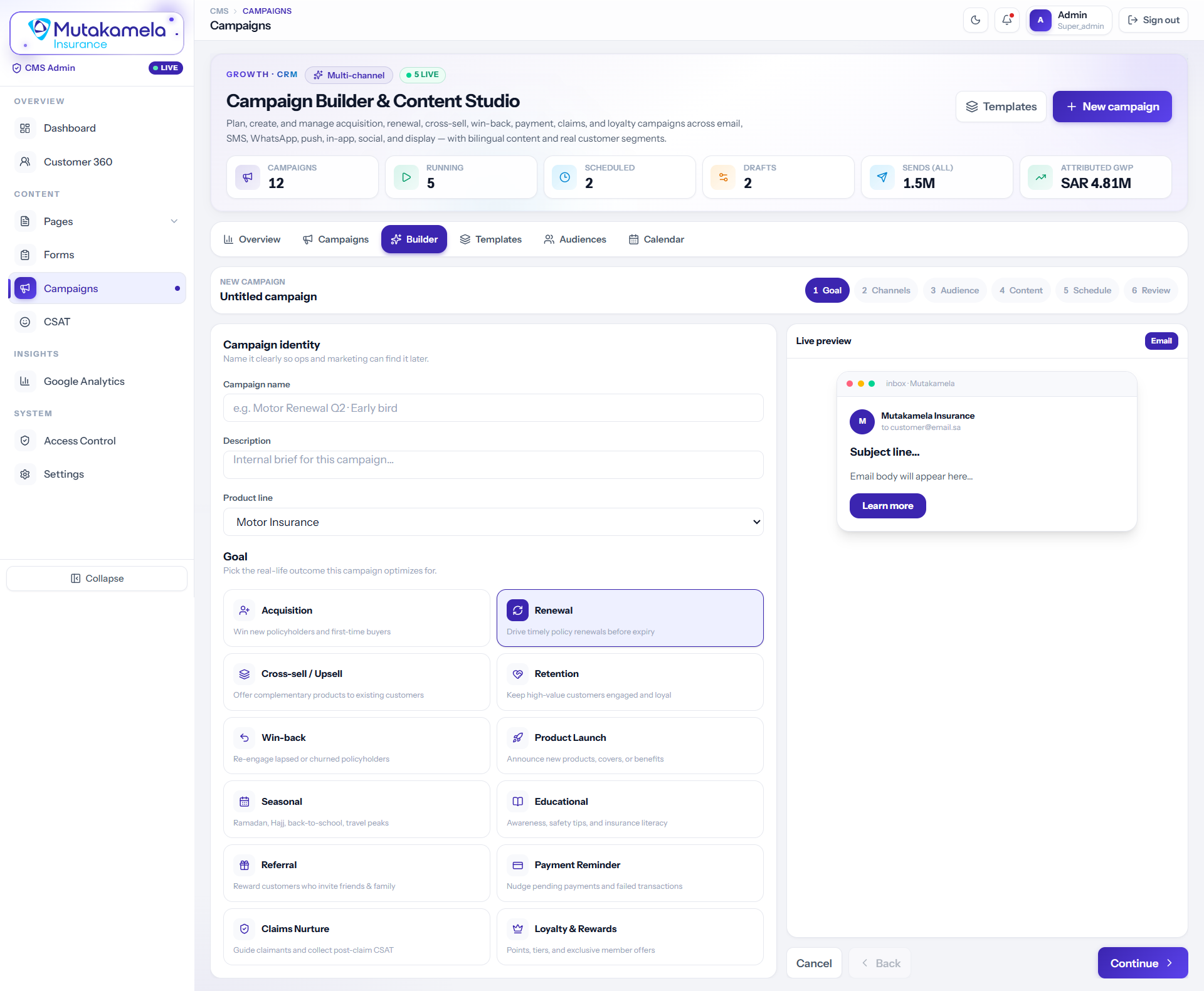
A six-step builder — Goal, Channels, Audience, Content, Schedule, Review — for every kind of journey a policyholder can be on: acquisition, renewal, cross-sell, win-back, claims nurture, or loyalty. Content is composed once and previewed live across email, SMS, WhatsApp, push, in-app, social, and display before it ever sends.
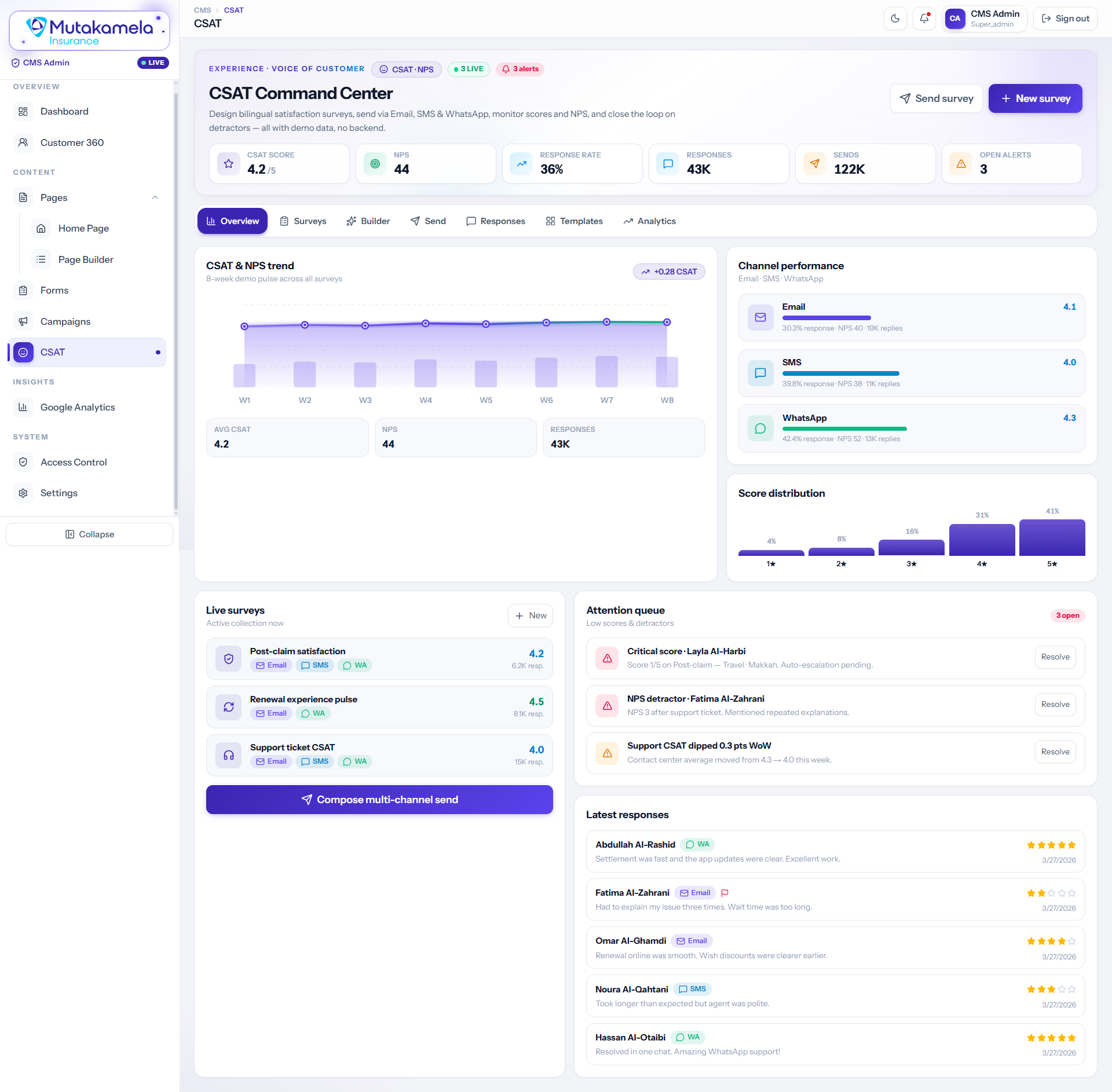
Bilingual satisfaction surveys, built and sent across Email, SMS, and WhatsApp, roll up into one score, one NPS, and one response-rate number — with an 8-week trend and a full score distribution underneath. An attention queue auto-escalates critical scores and detractors, and every live survey stays one click from a multi-channel resend.
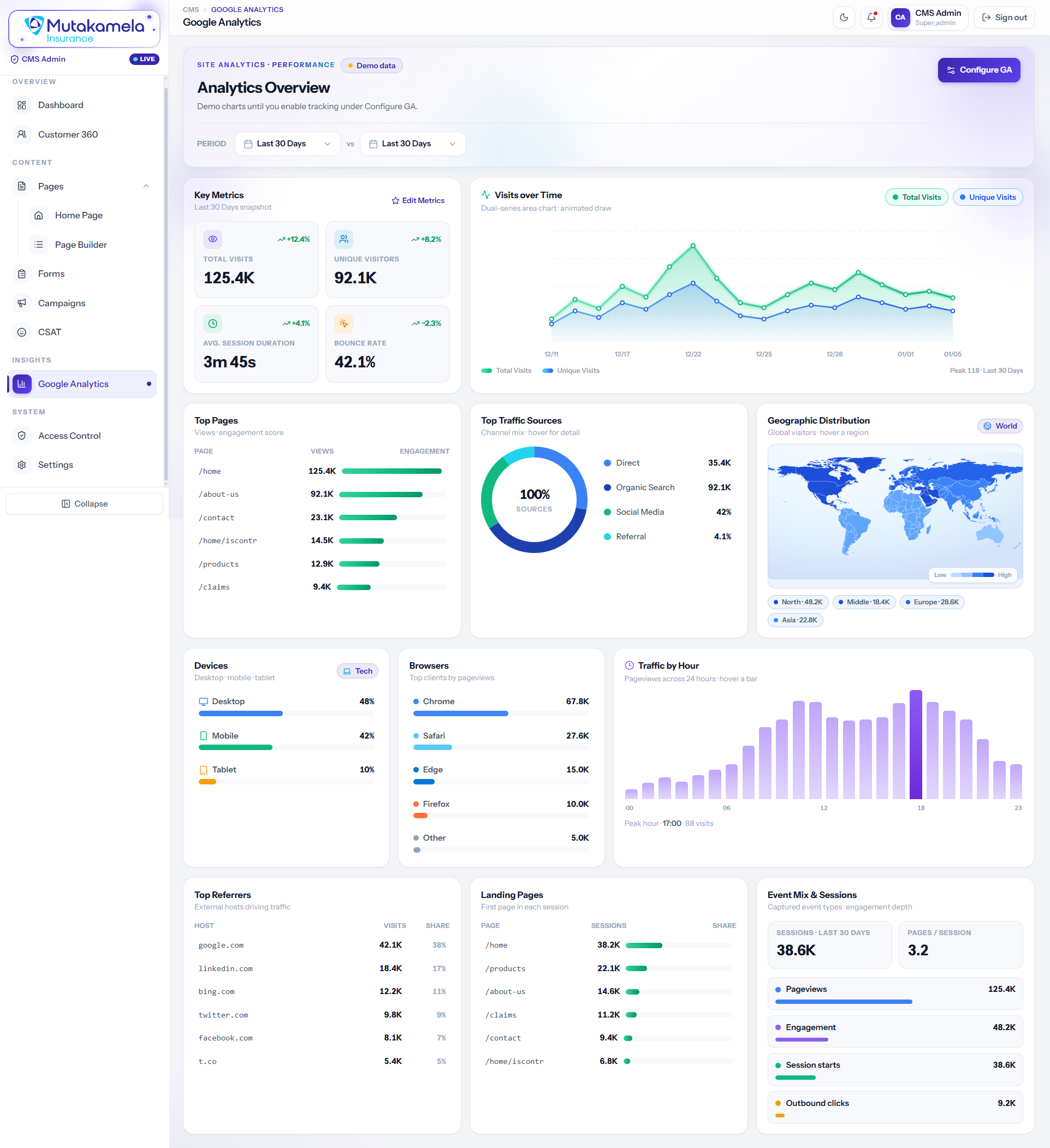
Site performance in one dashboard instead of a separate GA tab — total visits, unique visitors, session duration, and bounce rate, next to top pages, traffic sources, a live geographic map, device and browser mix, and hour-by-hour traffic. Period-over-period comparison is built in, so a spike or a drop is obvious at a glance.
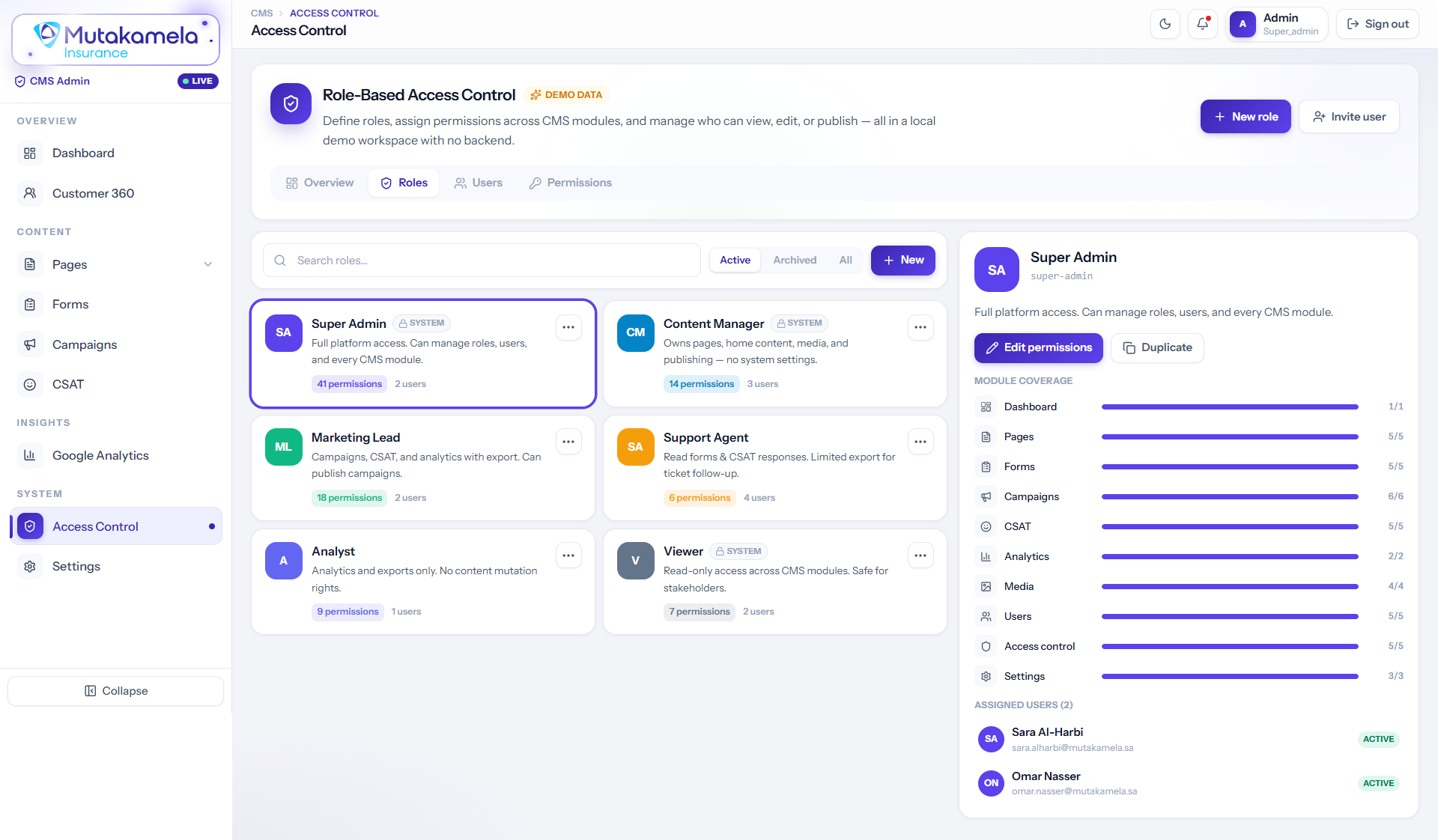
Six roles — from Super Admin down to a read-only Viewer — each scoped to exactly the modules they need, with a permission bar per module and a live list of assigned users. New roles can be built from scratch or duplicated from an existing one, so access always matches responsibility, not convenience.
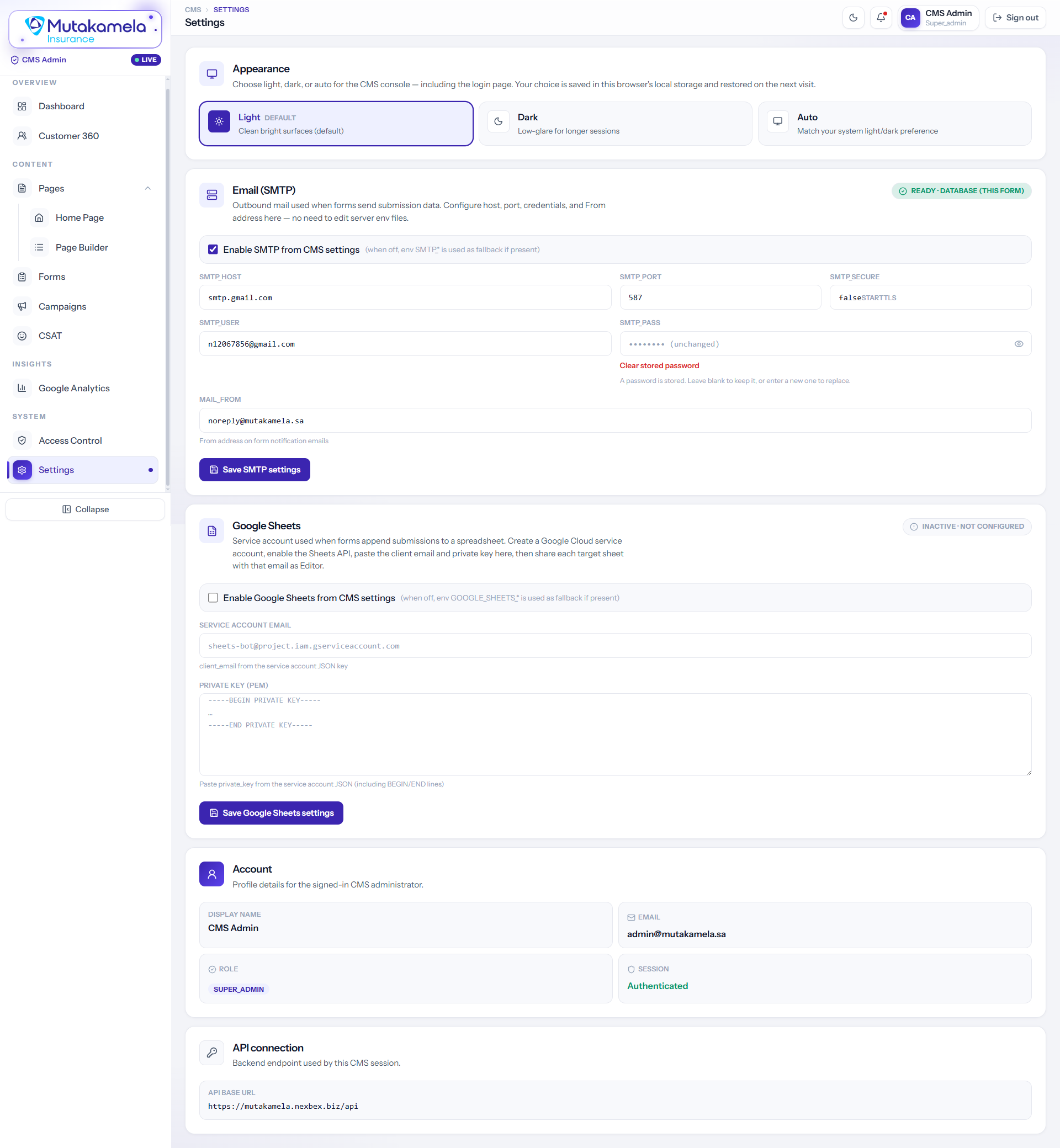
The wiring behind the console, made editable: light/dark/auto appearance, outbound SMTP for form-notification mail, and a Google Sheets service-account connection for live submission exports — every credential entered here, none of it requiring a server redeploy. Account and API-connection details sit alongside for a quick sanity check.
The governance layer behind everything customers see. Full audit logs, CMS publishing, CSAT/NPS intelligence, and a Customer 360 view that gives care agents complete visibility the moment a call comes in.